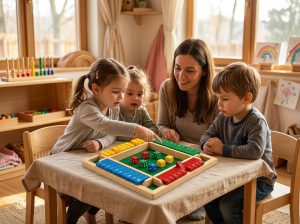
A parent downloads a heavily advertised coding app, hands the tablet to a four-year-old, and watches the child tap at random until something flashes. Twenty minutes later the tablet goes back in the drawer, and nothing has changed about how the child approaches a problem.
Scenes like this repeat in living rooms and preschool classrooms everywhere, and they explain why interest in screen-free coding toys keeps rising. Teachers want the sequencing and problem-solving benefits that coding promises. Families and program directors do not want more screen time stacked onto days that health guidance already recommends keeping largely unplugged. The research, it turns out, supports the unplugged side of the argument — and the skills involved do not require a robot, an app, or a subscription.
Why Coding Apps Fall Short for Preschoolers
The promise of a coding app is that a child will learn to plan. What a three- to five-year-old often does instead is tap until a reward animation plays, because the interface rewards exploration rather than sequencing. Preschool fine-motor development also runs through the hands: gripping, stacking, and arranging real objects is how this age group practices planning in the first place. A glass screen routes that practice through swipes, and the plan behind the animation stays hidden from the child who is supposedly learning it.
Screen-free coding toys start from the opposite premise — the plan lives in the child’s hands, where it can be seen, touched, and rearranged. None of this means coding apps are useless. Older children with reading skills get real value from visual programming platforms. The developmental mismatch appears in the preschool years, when spoken instructions and physical pieces carry meaning more reliably than abstract symbols on a display.
Health guidance points the same direction. The World Health Organization’s 2019 guidance on activity and screen time for young children recommends that children aged three to four spend no more than one hour a day in sedentary screen time, with less being better.
The same document replaces that hour with interactive floor-based play, storytelling, and puzzles — activities that look a lot like what well-designed screen-free coding toys already offer.
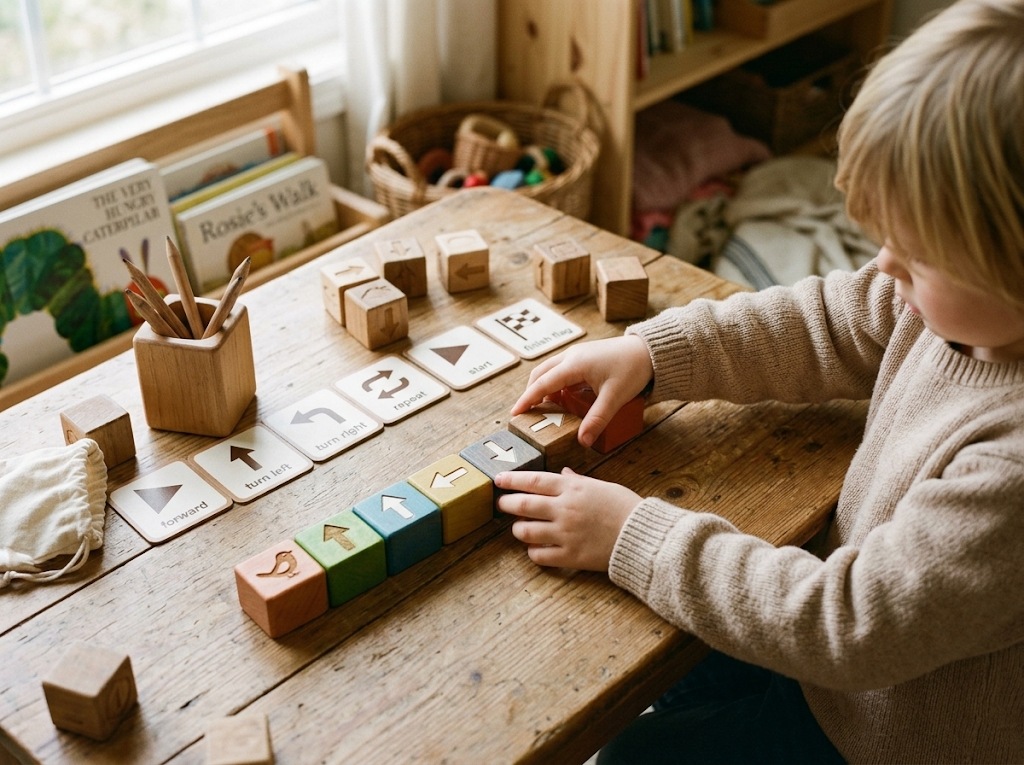
The strongest hands-first evidence comes from Tufts University. In a study published in Computers in the Schools in 2016, Elkin, Sullivan, and Bers gave 64 children across seven preschool classrooms a small robot programmed with interlocking wooden blocks — no screens, no keyboards. Children as young as three assembled grammatically valid programs, and performance climbed when programs contained fewer instructions to manage.
The findings echo what many classrooms already see with screen-free wooden toys that hold toddler attention: tangible pieces invite the trial-and-error exploration preschoolers naturally lean on.
What Screen-Free Coding Toys Actually Teach
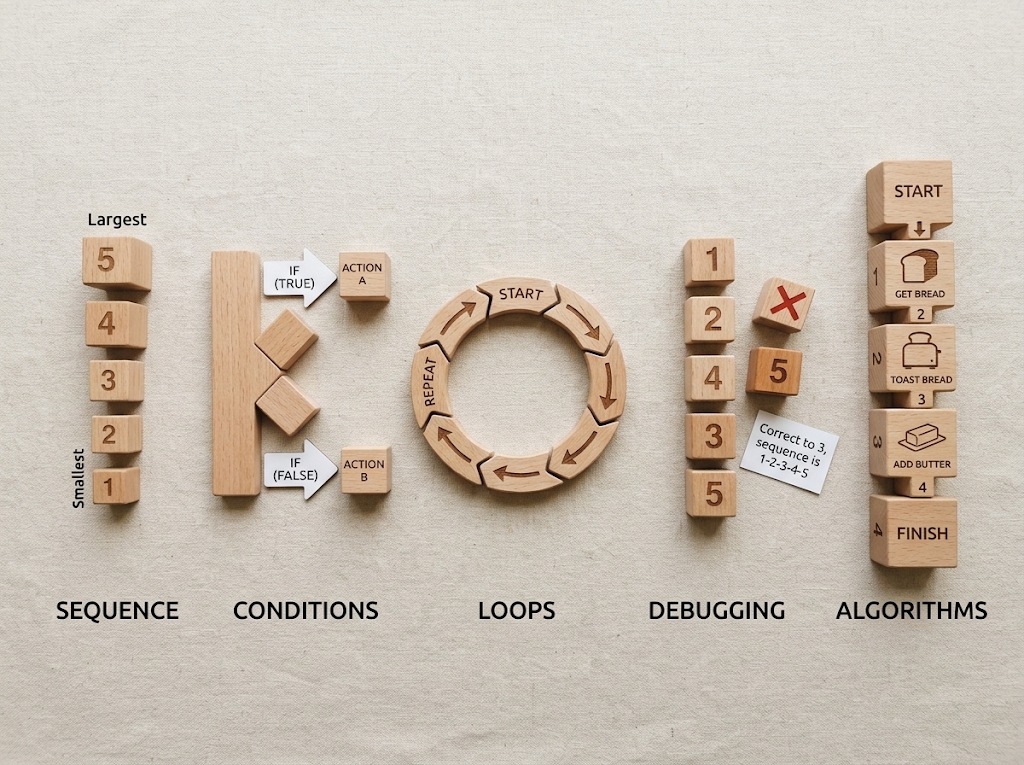
The phrase on the research side is computational thinking: a set of problem-solving habits that coding happens to train well. A systematic review of 22 studies on educational robotics for young learners, published in TechTrends by Boise State University researchers in 2023, found the skills studied most often were sequencing, conditionals, loops, debugging, and algorithmic thinking. Each one has a concrete preschool meaning.
Sequencing is putting steps in an order that works — the difference between a doll dressed before or after the bath. Conditionals are if-then rules: if the tower base is too small, the tower falls. Loops are deliberate repetition, the habit behind “do it again!” maturing into “do this four times.”
Debugging means finding which step broke and fixing only that step. Algorithmic thinking is holding a whole multi-step plan and adjusting it when reality pushes back. These five habits are what screen-free coding toys exist to train.
For teachers, the habits are already visible in block corners and board games, which is why observing them costs nothing. A child who lines up cars by size is sequencing. A child who waits for a turn on the slide is running a conditional.
For buyers and program directors, the same habits double as a checklist: a strong candidate among screen-free coding toys makes at least three of the five skills visible to a watching adult within one play session. That observability separates genuine teaching tools from wooden toys with the word “coding” added in marketing copy.
How Much Do Young Children Actually Gain?
The evidence question deserves an honest answer. In the largest study to date, published in Computers & Education in 2021, Relkin, de Ruiter, and Bers followed 667 first and second graders through a seven-week coding curriculum built around a screen-free robot kit, alongside 181 control children who continued regular classroom activities. The coding group improved significantly on an unplugged assessment of computational thinking, while the control group’s change fell short of statistical significance. The measured gain over seven weeks matched roughly six months of typical development on the same assessment.
Three caveats belong next to those numbers. The gains were measured on a thinking-skills assessment, not on math grades or reading scores. The intervention ran through a scripted, teacher-led curriculum rather than free toy exposure.
And most studies in the field involve short total durations — from 80 minutes to about 24 hours of activity — so long-term effects remain an open question. Even so, for a skill set that schools increasingly schedule into early grades, screen-free coding toys show a real, measurable signal that deserves calm procurement attention rather than hype in either direction.
For program directors weighing a pilot, the practical read is modest but useful. A seven-week guided sequence, not a one-time purchase, produced the gains. Budgets that fund teacher familiarization alongside the kits — a training afternoon, a printed activity sequence — buy the version of screen-free coding toys that the research actually tested. Budgets that fund hardware alone usually buy a shelf decoration.
How to Evaluate Screen-Free Coding Toys Before Buying
Marketing language will not answer the questions that matter when a classroom or a wholesale order is at stake. Four criteria separate screen-free coding toys that teach from kits that merely move.
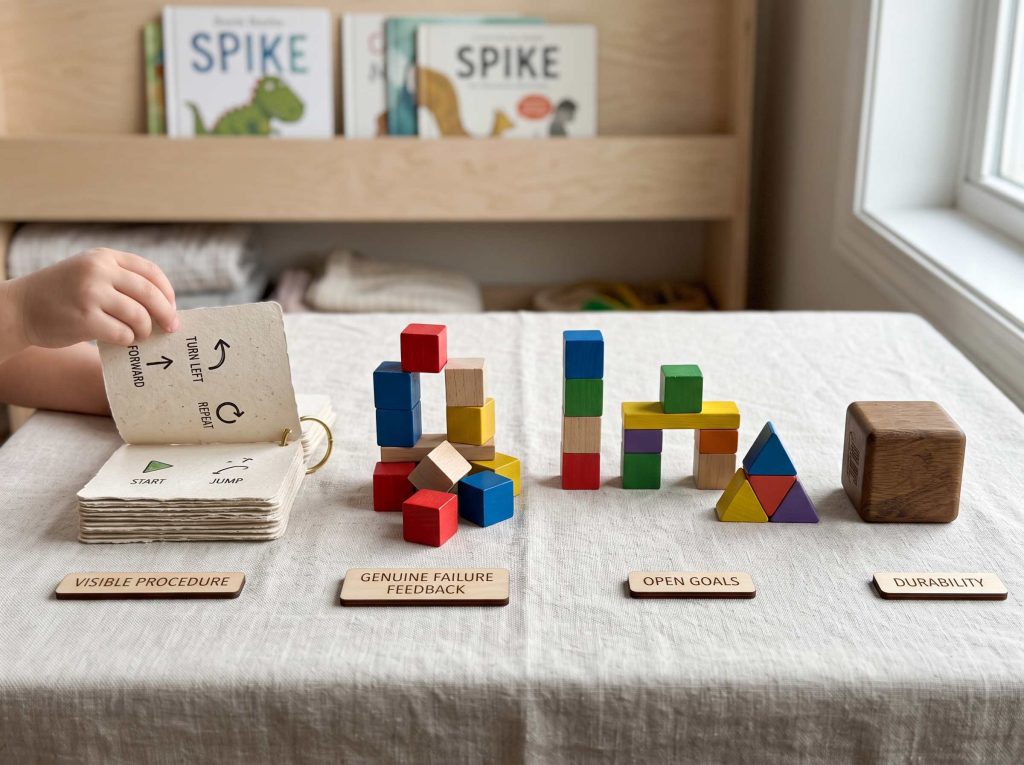
- A visible program. The child’s instructions exist as physical pieces — blocks, arrow cards, tiles — that can be pointed to, rearranged, and replayed. If the program is invisible, the debugging practice is invisible too.
- An honest failure loop. When the sequence breaks, the result shows it: the robot drives off the mat, the ball misses the cup, the tower collapses at step three. A toy that always succeeds teaches nothing about correction.
- Open-ended goals. One kit should support many challenges that scale from age three to six, because classroom budgets rarely cover a new solution each year.
- Group-ready durability. Solid wood or heavy plastic, nothing to charge between groups, quick reset, and replaceable parts — the details daycare procurement teams verify before ordering in quantity.
Applying the four criteria to any shortlist takes one supervised play session and a notebook. Which pieces did the child rearrange on their own? What happened after the first failure — laughter and a retry, or abandonment?
Did the challenge grow with the child, or end at the first success? Screen-free coding toys that survive those questions tend to hold up across a school year of rotations.
Unplugged Coding Games That Cost Nothing
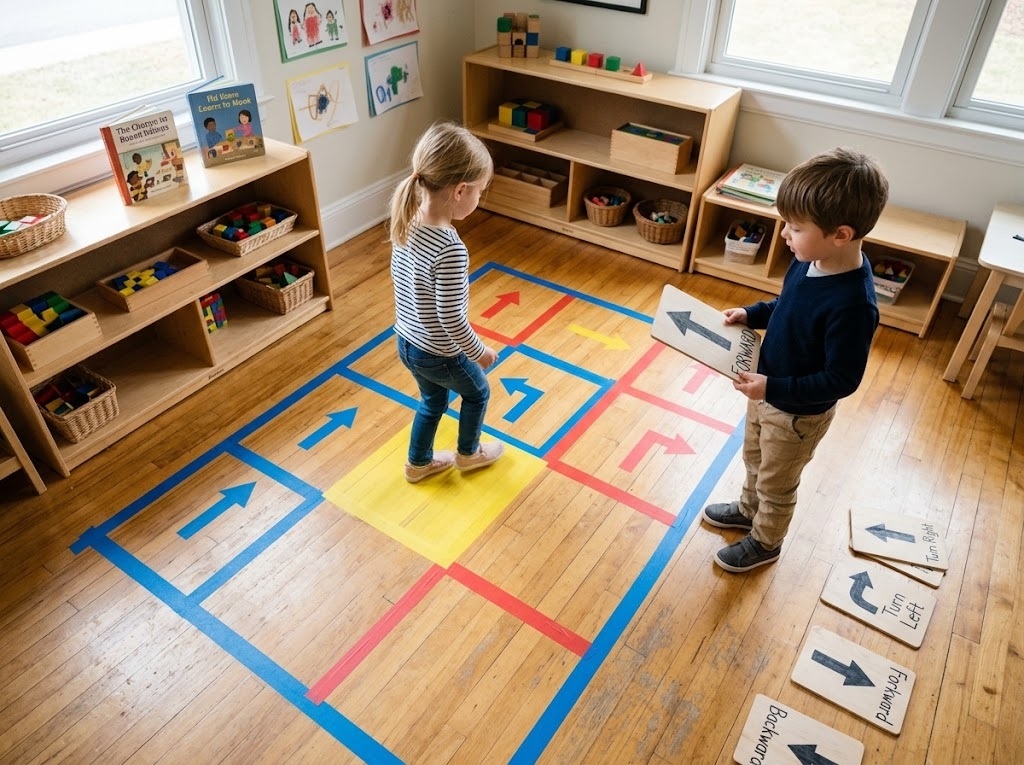
Before any purchase, the skills behind screen-free coding toys can be rehearsed with painter’s tape and floor space. A format used in many classrooms is the human robot game. One child, or the teacher, becomes the robot.
The remaining children write a program using agreed commands — forward, turn left, turn right — to move the robot from a starting line to a target. The robot executes each command literally, which is the point.
A typical round runs in four steps.
- Lay out a floor grid with painter’s tape and place a target at the far end.
- Agree on the command set and write the program as a line of arrow cards.
- Run the program, with the robot obeying exactly one card at a time.
- When the robot lands somewhere unexpected, debug together: which card was wrong, and what should replace it.
The game trains sequencing, precision, and debugging in one sitting, and it scales — add obstacle squares that require conditionals, or a “repeat twice” card that introduces loops. A 2021 systematic review of preschool robotics research by Bakala and colleagues noted how consistently the adult’s role — questioning, hinting, prompting one more try — shaped what children took away from sessions.
Scaffolding, not hardware, is the active ingredient, and the tape version delivers it without a single battery. Unplugged games like this one deliver most of what screen-free coding toys promise during the trial-and-error years.
Pattern-block trains offer a quieter version of the same practice. Lay an ABAB rule, ask the child to predict the next piece, then extend the rule together and break it deliberately so the child can catch the error. Teachers running educational toys that support independent play without adding screen time often rotate these two games for a fortnight before introducing any purchased kit, and the earlier debugging habits transfer visibly.
Everyday Toys That Already Rehearse the Same Skills
The precursor skills — sequencing, rule-following, predicting, adjusting — long predate robot kits, and several classic wooden formats train them as efficiently as many screen-free coding toys marketed for the purpose. A number flip dice box in the Shut the Box tradition is a working algorithm: roll, count, choose which tiles cover the sum, then adjust strategy as options narrow. Magnetic pattern blocks teach decomposition, since a picture breaks into shapes a child selects and sequences piece by piece.
A falling-ball run is prediction and debugging in wood — when the ball misses, the builder traces which segment failed and changes exactly one element. Teachers comparing options across STEM toys for preschoolers can weigh these formats against robot kits with the four criteria above.
The Vindstier catalog leans into exactly these hands-on formats, which suits classrooms that want the precursor habits in place before any robotics arrive. Neither route requires screens, and both reward the same adult conversation. In practice, everyday formats and screen-free coding toys work as one sequence rather than rivals: precursor habits first, robotics when the group is ready.
Where Screen-Free Coding Toys Reach Their Limits
Two boundaries keep expectations accurate. First, the research base is young: the 2023 review found most interventions totaled between 80 minutes and 24 hours of activity, and no long-term follow-up yet shows whether early gains persist into later computer science coursework. Second, unplugged tools do not adapt on their own — a tablet app can silently raise its difficulty, while wooden blocks need a teacher to notice and extend the challenge. In settings where children play with little supervision, that difference genuinely matters.
The most common misuse of screen-free coding toys is expecting them to teach alone. The studies behind the strongest gains ran on adult-guided curricula, where a teacher asked children to predict, explain, and retry. A robot kit dropped on a shelf teaches about as much coding as a board game left in shrink wrap. The toy holds the sequence; the conversation around it builds the thinking.
The Payoff of Screen-Free Coding Toys
The case for screen-free coding toys rests on three legs. Preschoolers learn planning through their hands, and health guidance prefers their days largely unplugged. The skills involved — sequencing, conditionals, loops, debugging — transfer into ordinary classroom problem-solving and show measurable gains under guided teaching. And the evaluation standard is refreshingly concrete: a visible program, an honest failure loop, open-ended goals, and durability that survives shared use.
The goal is not a five-year-old software engineer. It is a child who can hold a plan, watch it fail, and fix one step at a time. That quiet competence — something solid in hand instead of a screen — is what well-chosen screen-free coding toys deliver.